
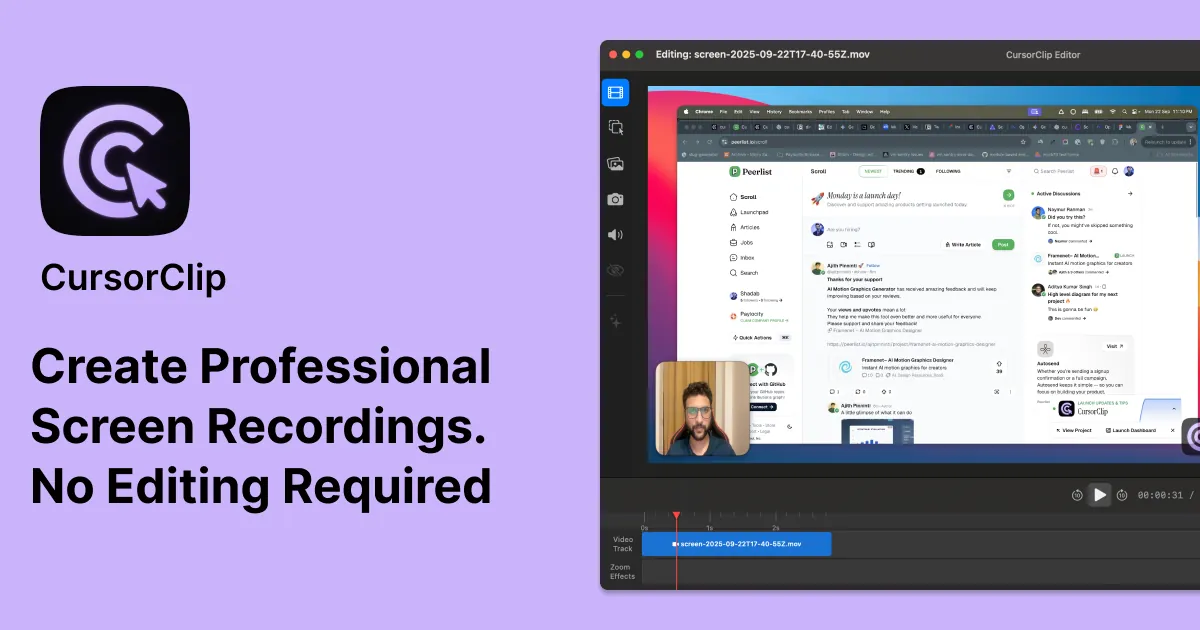
CursorClip
使用 CursorClip 的智能自动缩放功能在几分钟内录制专业演示。原生 macOS 应用程序,终身许可证 47 美元。无订阅,导出无水印。
CursorClip: The Mac Screen Recorder That Thinks Like You
Have you ever struggled to create professional-looking screen recordings without spending hours in post-production? Whether you're a product manager creating demos, a developer building tutorials, or a content creator producing walkthroughs, the challenge is universal: making screen recordings that actually engage viewers requires both technical skill and significant time investment. Enter CursorClip, a native macOS screen recorder that's transforming how professionals create polished video content with its intelligent auto-zoom technology.
What Makes CursorClip Stand Out
CursorClip is not just another screen recording tool—it's a smart, native macOS application designed with one core philosophy: make professional screen recordings effortless. At just 18 megabytes, this lightweight application packs powerful features that would typically require complex video editing software.
Smart Auto-Zoom Technology
The crown jewel of CursorClip is its intelligent auto-zoom feature. As you move your cursor across the screen, CursorClip automatically applies smooth zoom and pan effects to highlight the active area. This creates a dynamic, professional viewing experience that keeps viewers focused on what matters most. No more manual keyframe editing or timeline adjustments—CursorClip does the heavy lifting for you in real-time.
Recording Capabilities
CursorClip supports 4K resolution at 60 frames per second, ensuring your recordings look crisp and professional. You can capture system audio, microphone input, or both simultaneously. The application also includes webcam integration, allowing you to record your face alongside your screen—a perfect combination for engaging product demos and tutorials.
Export Flexibility
When it comes to exporting, CursorClip offers both high-quality MP4 and optimized GIF formats. This flexibility means you can create cinematic-quality demos for presentations or compact GIFs perfect for social media sharing and quick documentation.
Who Benefits from CursorClip?
Product Managers and Marketers
For those responsible for showcasing products, CursorClip is a game-changer. Create compelling product demos, onboarding guides, and feature walkthroughs that look professionally edited without the editing overhead. The auto-zoom feature naturally draws attention to key UI elements, making your product demonstrations more persuasive.
Developers and Technical Writers
Developers building tutorials or documentation will appreciate how quickly they can produce clear, focused screen recordings. The cursor-following zoom ensures that even small UI details remain visible, making technical walkthroughs easier for viewers to follow.
Content Creators and Educators
Whether you're creating online courses, YouTube tutorials, or training materials, CursorClip helps you produce content that stands out. The ability to record webcam and screen simultaneously adds a personal touch that enhances viewer engagement.
How CursorClip Compares to Competitors
When evaluating screen recording tools, CursorClip offers distinct advantages that set it apart from alternatives like Screen Studio and web-based solutions.
Performance and Resource Usage
CursorClip is a native macOS application, which translates to superior performance. At 18MB, it's dramatically smaller than competitors like Screen Studio (283MB). This native architecture means faster launch times, lower RAM usage, and smoother performance even on older Macs. No more spinning beach balls or sluggish recordings.
Pricing Model
In an era of subscription fatigue, CursorClip's pricing model is refreshingly straightforward: a one-time payment of 59 dollars for a lifetime license. This contrasts sharply with competitors that charge significantly more (Screen Studio costs 229 dollars) or require ongoing subscriptions. With CursorClip, you pay once and own the tool forever.
User Experience
The CursorClip workflow is designed for efficiency: record, preview, export. There's no timeline editing, no manual keyframe setting, no complex interface to navigate. The auto-zoom feature handles what would typically require hours of editing work in other tools. This streamlined approach means you can go from recording to polished video in minutes rather than hours.
Privacy and Offline Capability
CursorClip works entirely offline—no cloud accounts required, no data sent to external servers. This is ideal for professionals working with sensitive information or those who simply prefer privacy and control over their content.
Technical Requirements and Setup
CursorClip runs on macOS Ventura (13.0) or newer and is optimized for both Apple Silicon and Intel-based Macs. The installation process is straightforward, and the application launches in seconds. The straightforward interface means minimal learning curve—you can start creating professional recordings immediately after installation.
The company stands behind its product with a 14-day money-back guarantee, giving you ample time to evaluate whether CursorClip meets your needs. If it doesn't, a full refund is available with no questions asked.
The Bottom Line
CursorClip fills a specific but crucial gap in the screen recording market: making professional, engaging screen recordings accessible to everyone without requiring video editing expertise or expensive subscriptions. Its intelligent auto-zoom technology, combined with native macOS performance and fair pricing, makes it particularly compelling for professionals who value their time.
While it may not offer every advanced feature found in professional video editing software, CursorClip excels at its core purpose: helping you create polished screen recordings quickly and easily. For most use cases—from product demos to tutorials to documentation—CursorClip delivers professional results without the professional overhead.
If you're looking for a screen recording tool that prioritizes efficiency, quality, and value, CursorClip deserves serious consideration. It's the kind of tool that once you've used it, you'll wonder how you ever managed without it.