
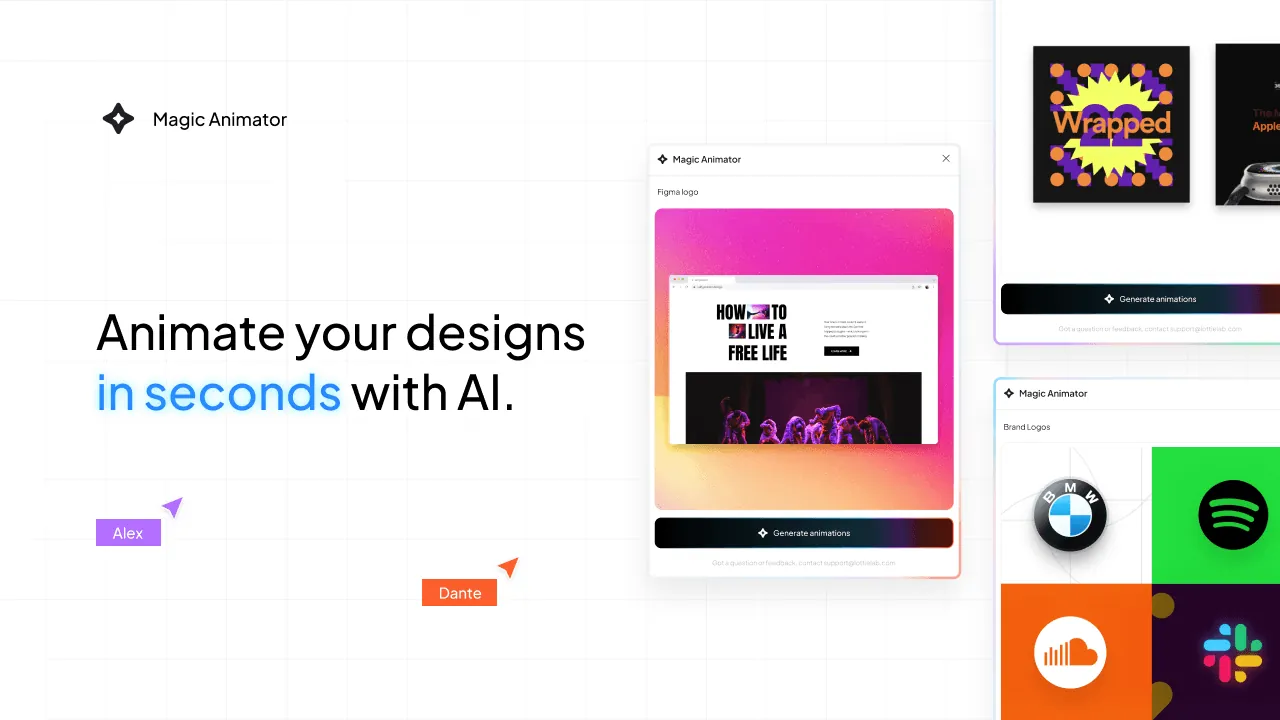
Magic Animator
使用 AI 在几秒钟内让您的设计动起来。
Magic Animator: Transform Your Designs into Stunning Animations in Seconds
In today's digital landscape, static designs simply don't capture attention like they used to. Whether you're building a brand presence, designing user interfaces, or creating social media content, animation has become the secret sauce that makes designs stand out. But traditional animation workflows are time-consuming, require specialized skills, and often demand expensive software. Enter Magic Animator – the AI-powered tool that's revolutionizing how designers bring their visions to life.
What Makes Magic Animator Different?
Magic Animator is a cutting-edge AI animation tool that lives primarily as a Figma plugin, created by the innovative team at Lottielab. Currently in its 2.0 Beta phase, this tool represents a paradigm shift in animation creation. Instead of spending hours meticulously crafting keyframes and tweaking timing curves, designers can now generate professional-quality animations with a single click.
The philosophy behind Magic Animator is beautifully simple: "Designs in, Magic out." The tool is built for creatives who have vision but don't want animation to become a bottleneck in their workflow. It's designed to make the transition from static to animated as frictionless as possible, allowing designers to focus on creativity rather than technical complexity.
Key Features and Capabilities
One-Click Animation Generation
The standout feature of Magic Animator is its ability to generate animations instantly. Simply upload your design or use it directly within Figma, and with one click, the AI analyzes your design and creates multiple animation variations. This is particularly useful for quick iterations when you're exploring different motion concepts.
Smart Animation Generation
The "Generate Animations" button provides access to Magic Animator's library of pre-generated animations that the AI has created based on your specific design. This means you're not getting generic, cookie-cutter animations – you're getting personalized motion that complements your unique design elements.
Animation Assistant with Natural Language
Perhaps the most exciting feature is the Animation Assistant, which allows you to generate custom animations through chat. You can simply describe what you want – "Make this logo bounce with a spring effect" or "Create a subtle fade-in for these icons" – and the AI interprets your request and generates the animation. This natural language interface democratizes animation, making it accessible to designers regardless of their technical animation background.
Versatile Export Options
Magic Animator understands that animated content needs to live in different ecosystems. You can export your animations as:
- MP4 videos for social media and presentations
- GIFs for quick sharing and web use
- Lottie files for seamless integration into websites and mobile apps
The Lottie format is particularly valuable for developers, as it provides lightweight, scalable animations that maintain high quality across different devices and screen sizes.
Cross-Platform Compatibility
One of Magic Animator's strengths is its flexibility in the design ecosystem. While it's primarily a Figma plugin, it works with designs created in various platforms including Canva, Figma, and Adobe Express. This means you're not locked into a specific workflow – design where you're comfortable, then animate with Magic Animator.
Real-World Use Cases and Benefits
Brand Identity and Logo Animation
Brands today need to be dynamic and engaging. Magic Animator enables designers to quickly create animated logos that capture brand personality. Whether it's a subtle hover effect for a website or an attention-grabbing intro for videos, animated logos increase brand recognition and memorability.
Social Media Content Creation
Social media platforms prioritize engaging content, and animation is a powerful tool for stopping the scroll. Magic Animator makes it easy to transform static Instagram posts into animated stories, create eye-catching reels, or design animated ad creatives. The tool's speed is particularly valuable for social media managers who need to produce content at scale.
User Interface and Experience Design
In UI/UX design, animation serves both aesthetic and functional purposes. Magic Animator helps designers create loading animations, micro-interactions, and transitions that guide users through digital experiences. These animations aren't just pretty – they improve usability by providing visual feedback and creating more intuitive interfaces.
Icon and Micro-interaction Design
Small animations can have a big impact on user experience. Animated icons can indicate interactive elements, provide feedback on user actions, or add personality to an interface. Magic Animator makes it practical to add these polished details without spending excessive time on each element.
How Magic Animator Compares to Traditional Animation Tools
Traditional animation tools like After Effects, LottieFiles, or even manual CSS animation require significant time investment and technical knowledge. Here's how Magic Animator stacks up:
Speed: Traditional animation workflows can take hours or even days for complex projects. Magic Animator reduces this to seconds or minutes, enabling rapid iteration and experimentation.
Learning Curve: Professional animation software has steep learning curves. Magic Animator's intuitive interface and natural language commands make it accessible to designers without animation backgrounds.
Cost: High-end animation software often requires expensive subscriptions. Magic Animator provides professional results at a more accessible price point, especially valuable for freelancers and small teams.
Integration: Many animation tools exist in isolation from design workflows. Magic Animator integrates directly into Figma, maintaining design continuity and reducing file management overhead.
Versatility: While some tools excel at specific types of animation, Magic Animator provides a comprehensive solution suitable for everything from simple micro-interactions to complex logo animations.
The Technology Behind the Magic
Magic Animator leverages advanced AI and machine learning algorithms to understand design composition, color theory, and motion principles. The AI has been trained on thousands of successful animations, enabling it to generate motion that feels natural and professional rather than robotic or generic. The tool continues to learn and improve, with the 2.0 Beta already showing significant enhancements over previous versions.
The natural language processing capabilities of the Animation Assistant represent a significant advancement in human-computer interaction for creative tools. This conversational approach to animation specification feels more like collaborating with a colleague than issuing commands to software.
Looking to the Future
The roadmap for Magic Animator includes exciting features like keyframe editing capabilities, which will allow designers to fine-tune AI-generated animations for precise control. This combination of AI automation and human creative direction represents the future of creative tools – where technology handles the technical heavy lifting while designers focus on vision and aesthetics.
Conclusion: Is Magic Animator Right for You?
Magic Animator is particularly well-suited for:
- UI/UX designers who want to add motion to interfaces without becoming animation experts
- Social media managers needing to produce engaging animated content quickly
- Brand designers looking to create dynamic brand assets
- Freelance designers wanting to expand their service offerings
- Design teams seeking to streamline animation workflows
While professional animators who need precise control over every aspect of motion might still prefer traditional tools for complex projects, Magic Animator fills a crucial gap in the design toolkit. It democratizes animation, making motion design accessible to anyone with design vision.
The tool's combination of speed, ease of use, and professional quality makes it a valuable addition to any designer's arsenal. As the AI continues to improve and new features are added, Magic Animator is poised to become an essential tool for the next generation of digital designers.
For anyone looking to elevate their designs with animation without the traditional time and skill investment, Magic Animator offers a compelling solution. The future of design is dynamic, and tools like Magic Animator are making that future accessible to everyone.