
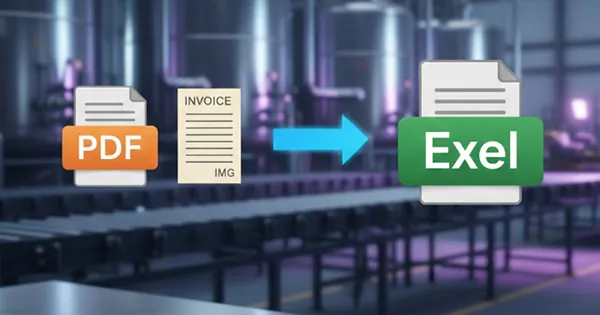
Stop Copy
TabliSync 是您的 AI 数据助手,能够理解复杂的表格结构。以 99.9% 的准确率将截图或 PDF 同步并提取到电子表格中。
Stop Copy-Pasting: Meet TabliSync - The AI That Transforms Your Documents Into Excel in 1.2 Seconds
If you've ever found yourself staring at a PDF invoice, a handwritten order form, or a screenshot of a table, resigned to the tedious task of manually typing data into Excel, you're not alone. For professionals across industries—from manufacturing supervisors to finance accountants—the ritual of copying and pasting data from documents into spreadsheets consumes countless hours and introduces the ever-present risk of human error.
Enter TabliSync, an AI-powered data assistant that's revolutionizing how we handle structured data extraction. With a tagline that promises to "Stop Copy-Pasting," TabliSync delivers on that bold claim by converting images and PDFs into Excel-ready spreadsheets in an average of just 1.2 seconds with 99.9% accuracy.
Key Features and Capabilities
Lightning-Fast Processing
The standout feature of TabliSync is its remarkable speed. Powered by the TabliSync Engine (built on Gemini Flash), the tool processes documents in an average of 1.2 seconds. What once required hours of manual data entry can now be accomplished in moments, keeping professionals in their workflow without interruption.
Industry-Leading Accuracy
Speed means nothing without precision, and TabliSync doesn't compromise. The AI achieves 99.9% accuracy, handling everything from complex spreadsheet layouts to handwritten text and multi-language content. This level of precision is particularly impressive given the challenges OCR technology traditionally faces with messy real-world documents.
Universal Format Support
TabliSync accepts a wide range of input formats including JPG, JPEG, PNG, and PDF files up to 10MB. Whether you're working with screenshots, photos of handwritten forms, scanned documents, or multi-page PDF reports, TabliSync's AI adapts to the format and extracts structured data reliably.
Multi-Platform Integration
Perhaps the most powerful aspect of TabliSync is its connectivity. The tool doesn't just extract data—it syncs it directly to your existing workflow. Native integrations include:
- Microsoft Excel
- Google Sheets
- Airtable
- Notion
- CSV exports
- REST API for custom integrations
This "extract once, sync everywhere" approach means data flows seamlessly from your documents to your preferred productivity tools without manual intervention.
Batch Processing Capabilities
For users dealing with high volumes of documents, TabliSync supports batch processing. The Professional plan allows uploading 10 files simultaneously, while higher tiers offer even more robust batch capabilities. This feature is particularly valuable for organizations processing hundreds of documents daily.
Real-World Use Cases and Benefits
Manufacturing and Logistics
Factories worldwide have embraced TabliSync for processing shipping documents, order records, and quality inspection reports. One production supervisor reported processing thousands of shipping documents daily, achieving 99%+ accuracy and saving 80% of their team's time. Warehouse managers handling monthly inventory documents that previously required overtime until midnight can now batch process multi-page PDFs in minutes.
Financial Operations
Finance departments dealing with invoices, receipts, and expense reports benefit tremendously. Accountants can photograph documents and have data automatically imported into financial systems with incredible accuracy—even recognizing handwritten amounts. This automation increases efficiency several times over while reducing the risk of data entry errors.
Procurement and Supply Chain
Procurement managers handling supplier quotations in various formats find TabliSync invaluable for standardizing data. The tool recognizes all table formats and converts them to unified Excel formats, making comparisons and analysis significantly easier.
Human Resources
HR specialists managing attendance sheets, payroll records, and insurance documents can scan and upload massive paper tables monthly, with TabliSync automatically creating electronic tables—eliminating those late nights spent on manual data entry.
How TabliSync Compares to Alternatives
Traditional OCR solutions have existed for years, but TabliSync represents a quantum leap forward. Unlike conventional OCR tools that struggle with complex table structures, handwritten text, and varying document qualities, TabliSync's AI engine has been trained on millions of table images specifically for structured data extraction.
What sets TabliSync apart from similar tools in the market:
Specialization: While general-purpose OCR tools attempt to recognize all types of text, TabliSync focuses exclusively on tables and structured data, resulting in superior performance for its intended use case.
Integration Depth: Many OCR tools output raw text that requires additional processing. TabliSync goes further by understanding table structure and formatting, delivering ready-to-use spreadsheets that sync directly to productivity platforms.
Processing Speed: At 1.2 seconds per document, TabliSync significantly outperforms competitors that often take 10-30 seconds or more for similar tasks.
Accuracy Rate: The 99.9% accuracy claim sets a high bar that many competitors struggle to match, particularly with challenging documents like handwritten forms or damaged originals.
Workflow Integration: TabliSync's approach of sync-first rather than export-first represents a more modern philosophy, recognizing that data doesn't exist in isolation but flows between tools and platforms.
Pricing and Accessibility
TabliSync offers a tiered pricing model that makes it accessible to users of all needs:
- Free Tier: 3 trial extractions per session, perfect for testing the technology
- Essential Plan: $9.9/month for 150 conversions, suitable for occasional users
- Professional Plan: $29.9/month for unlimited conversions with advanced features
- Premium Plan: $59.9/month for maximum capabilities including Notion sync and VIP speed boost
The presence of a free trial allows potential users to experience the technology firsthand before committing to a subscription—a welcome approach in an industry where many tools require payment before demonstrating value.
Security and Compliance
For enterprise users, data security is paramount. TabliSync addresses this concern with enterprise-grade security measures including encryption in transit and at rest, SOC 2 compliance, and the ability to delete data at any time. The tool doesn't store files permanently, and follows industry best practices for data handling—a crucial consideration for organizations handling sensitive financial or operational data.
Conclusion and Recommendation
TabliSync represents exactly the kind of AI application that delivers tangible, immediate value to professionals. By automating one of the most tedious and error-prone aspects of modern work—manual data entry—it frees up time for higher-value activities while improving data accuracy.
The tool is particularly well-suited for:
- Professionals regularly processing invoices, receipts, or financial documents
- Manufacturing and logistics teams handling shipping manifests and order records
- HR departments managing employee records and attendance data
- Procurement teams working with supplier quotations and specifications
- Anyone who frequently finds themselves copying table data from PDFs or images into spreadsheets
The combination of exceptional speed, high accuracy, broad format support, and seamless integration makes TabliSync a compelling solution. The free trial makes it risk-free to evaluate, and the tiered pricing ensures users only pay for the capabilities they need.
In a world where AI tools often promise more than they deliver, TabliSync's straightforward value proposition—stopping copy-pasting by syncing any image or PDF to Excel in one click—feels refreshingly honest. For anyone regularly working with structured data trapped in documents or images, TabliSync isn't just another AI tool; it's a practical solution to a very real problem.
The question isn't whether AI will transform how we work with data—it already is. The question is whether you'll be doing the copy-pasting yourself or letting AI handle it while you focus on what matters. With TabliSync, the choice becomes clear.