
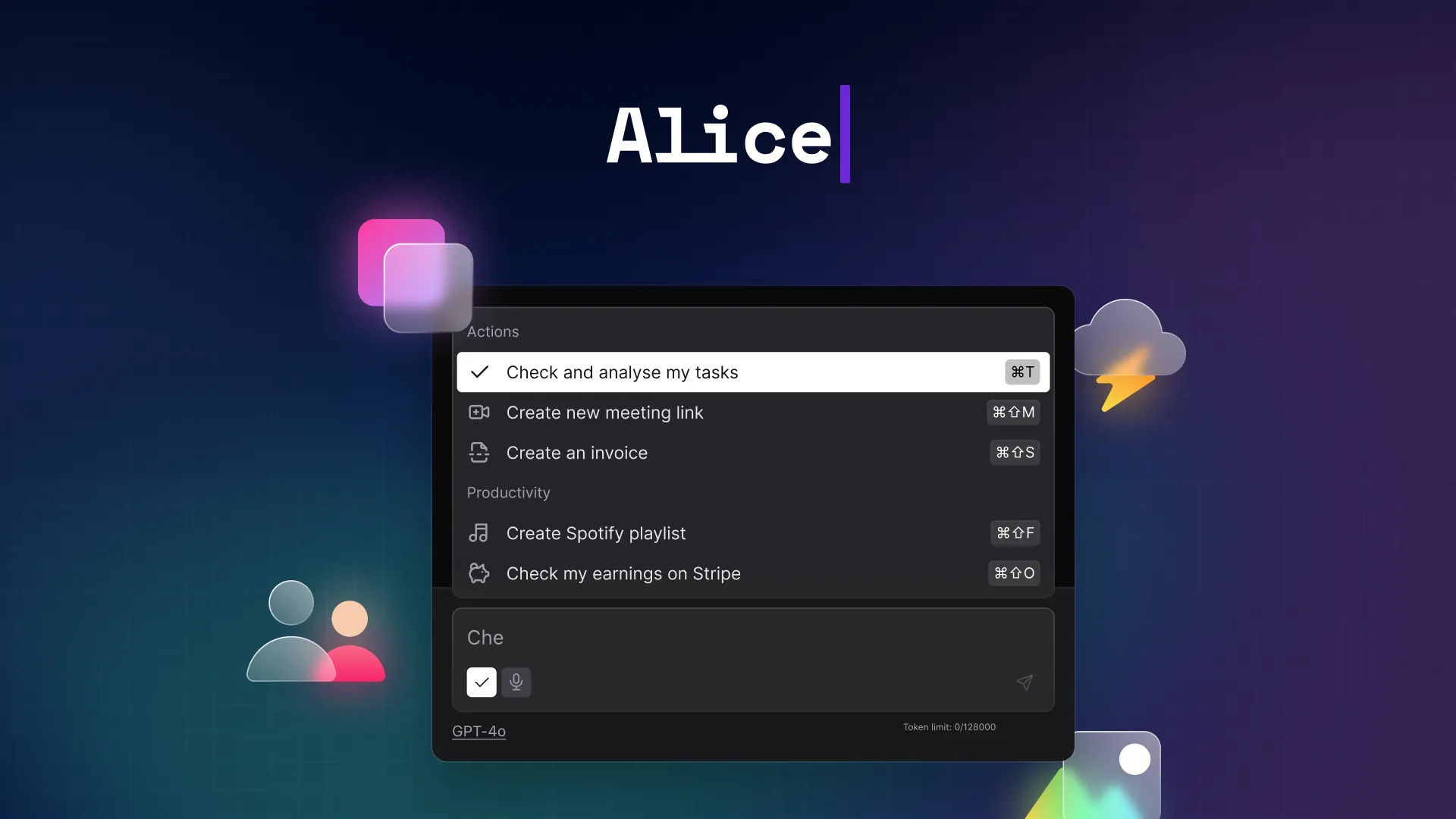
Alice
Alice是一个原生应用程序,允许您与不同的AI模型聊天、安装助手并与您使用的软件进行通信。现在就试试 >>
Alice: The Revolutionary AI Desktop Assistant That Transforms Your Productivity
Introduction
In the rapidly evolving landscape of artificial intelligence tools, most of us find ourselves constantly switching between browser tabs, copy-pasting between applications, and wrestling with multiple AI subscriptions. Enter Alice, a native desktop AI assistant that's redefining how we interact with artificial intelligence on our computers. Unlike browser-based AI solutions, Alice integrates directly into your operating system, creating a seamless, lightning-fast AI experience that feels like a natural extension of your workflow.
Founded by productivity enthusiasts Adam and Greg, Alice emerged from a simple frustration: the constant interruption of hitting Cmd+Tab to reach ChatGPT for the hundredth time in a day. What started as a personal tool has evolved into a powerful AI platform used by over 8,000 creative minds worldwide, and with the recent release of version 5.0, Alice is poised to revolutionize how we think about desktop AI assistance.
Key Features and Capabilities
Multi-Model AI Integration
One of Alice's standout features is its ability to access multiple best-in-class AI models through a single, unified interface. Whether you need OpenAI's GPT-5, Anthropic's Claude 3.5 Sonnet, Google's Gemini, xAI's Grok, or other cutting-edge models, Alice lets you switch between them seamlessly. This flexibility means you can choose the perfect AI engine for each specific task without juggling multiple subscriptions or websites.
Custom AI Assistants with Skills Library
Alice takes the concept of AI assistants to a whole new level. Instead of a one-size-fits-all chatbot, you can build custom AI assistants tailored to your specific needs. The platform comes with 50+ pre-built assistants and over 200 skills created by power users. Need a "Deal Closer" for sales? A "Bug Hunter" for QA? A "Meeting Genius" for perfect notes? These are all available with a single click.
Each assistant can be equipped with specific skills—pre-built capabilities that enable actions like posting to WordPress, checking Ahrefs, creating brand ideas, or analyzing SEO data. This modular approach means you can assemble your perfect AI companion without any programming knowledge.
Lightning-Fast Performance and Hotkey Access
Speed is where Alice truly shines. Because it runs natively on your machine rather than in a browser, summoning Alice is as simple as pressing a hotkey. No browser loading times, no server queues—just instant AI assistance. The platform also lets you turn any prompt into a keyboard shortcut. Want to fix grammar with Cmd+G? Translate text with Cmd+T? Summarize content with Cmd+S? Alice makes these repetitive tasks instantaneous.
Advanced Automation and Integration
Alice isn't just a chat interface—it's a powerful automation hub. Through MCP (Model Context Protocol) servers and integrations with popular automation tools like Zapier, Make, and n8n, Alice can connect to virtually any application or service. You can ask your CRM "Who haven't I followed up with this week?" or tell your calendar "Block 2 hours tomorrow for deep work," and Alice will execute these actions directly.
The platform also supports remote actions, allowing Alice to interact with your applications and perform complex workflows—all triggered by natural language commands or keyboard shortcuts.
Privacy and Local Processing
For users concerned about data privacy, Alice offers enhanced security features. Everything can stay local—conversations, documents, and ideas—when using offline models. This makes Alice one of the few AI assistants that can guarantee your work remains yours, making it particularly valuable for professionals handling sensitive information.
Voice Input and Text-to-Speech
Alice supports both voice input and text-to-speech capabilities, enabling hands-free productivity. You can dictate ideas and have Alice draft them, or have responses read back while you work on other tasks. This feature creates voice commands that can trigger complex automations, perfect for multitaskers or those who prefer voice interaction.
Web Search, Vision, and Image Generation
Alice's capabilities extend beyond text. The platform can search the web, read and analyze images, and generate visuals—all without switching applications. Need to extract data from screenshots? Research while writing? Create graphics on demand? Alice handles these tasks seamlessly, maintaining context across different media types.
Use Cases and Benefits
For Content Creators and Marketers
Content creators can leverage Alice's specialized assistants like the "SEO Content Writer" or "Jenny" (trending content guru). These assistants come equipped with skills for keyword research, content optimization, and publishing directly to platforms like WordPress. The ability to research, write, and publish without leaving your workflow dramatically increases productivity.
For Developers and Technical Teams
Developers benefit from assistants like "Tony," a software engineer helper that can fix bugs, optimize code, and review pull requests. Alice's ability to maintain context across conversations and access multiple coding-focused AI models makes it an invaluable pair programmer. The keyboard shortcuts for common coding tasks can save hours of repetitive work weekly.
For Sales and Business Development
Sales professionals can use assistants designed for deal closing and customer relationship management. Alice can analyze local CSV files with sales data, draft personalized outreach emails based on that information, and add follow-up tasks to your to-do list—all with a single hotkey. This automation transforms tedious data processing into instant, actionable insights.
For Researchers and Students
Students and researchers can use assistants like "Ellie" for study assistance and research enhancement. Alice's memory capabilities mean you can feed it project documents, notes, and preferences once, and it will maintain this context across all future interactions, providing truly personalized assistance without constantly repeating background information.
For Project Managers and Team Leaders
Project managers benefit from Alice's ability to automate reporting, schedule management, and team coordination. Through integrations with project management tools and calendar applications, Alice can handle routine administrative tasks, freeing up time for strategic thinking and team leadership.
How Alice Compares to Similar Tools
vs. Browser-Based AI (ChatGPT, Claude Web)
While browser-based AI tools are powerful, they suffer from constant context switching. You have to tab away from your work, wait for pages to load, and manually copy-paste information back and forth. Alice eliminates this friction by running natively on your machine, accessible instantly via hotkeys. It's the difference between checking your email in a browser versus using a native email client—the experience is fundamentally more seamless and efficient.
vs. Other Desktop AI Tools
What sets Alice apart from other desktop AI solutions is its focus on automation and customization. While tools like Raycast offer AI features, Alice goes deeper with its assistant ecosystem, skills library, and extensive automation capabilities. Alice isn't just a chat interface—it's a complete AI operating system layer that can interact with your applications, execute actions, and build custom workflows.
vs. Multiple AI Subscriptions
Instead of paying for ChatGPT Plus, Claude Pro, and other AI subscriptions separately, Alice lets you bring your own API keys and pay only for what you use across all models. This a la carte approach can significantly reduce costs for power users who need access to multiple AI engines. Alternatively, Alice's subscription plans include generous token limits for multiple models, offering predictable monthly costs.
vs. Automation Platforms
While automation tools like Zapier and Make are incredibly powerful, they require building complex workflows. Alice bridges this gap by allowing natural language triggers for automations. You don't need to map out every step of a process—you can simply tell Alice what you want in plain English, and it handles the execution through its integration network.
Conclusion
Alice represents a significant evolution in AI assistant technology, moving beyond simple chat interfaces toward truly integrated AI computing. By combining multi-model access, custom assistants, automation capabilities, and native desktop performance, Alice offers a compelling solution for anyone looking to supercharge their productivity with artificial intelligence.
The platform's flexible pricing model—with options ranging from monthly subscriptions to lifetime licenses—makes it accessible to individuals and teams alike. The 21-day free trial provides ample opportunity to experience how Alice can transform your workflow before committing.
For professionals who are tired of the constant tab-switching and copy-paste marathons that characterize current AI workflows, Alice offers a glimpse of a more efficient future. It's not just an AI chatbot—it's a personal AI operating system that learns your preferences, anticipates your needs, and executes tasks at the speed of thought.
As AI continues to evolve, platforms like Alice that focus on seamless integration and practical automation will likely become essential tools in every knowledge worker's arsenal. Whether you're a developer, marketer, researcher, or business leader, Alice has the potential to be one of the most impactful productivity tools you adopt this year. The question isn't whether you need an AI assistant—it's whether you want one that's limited to browser windows or one that's integrated into every aspect of your computing experience. With Alice, the choice is clear.